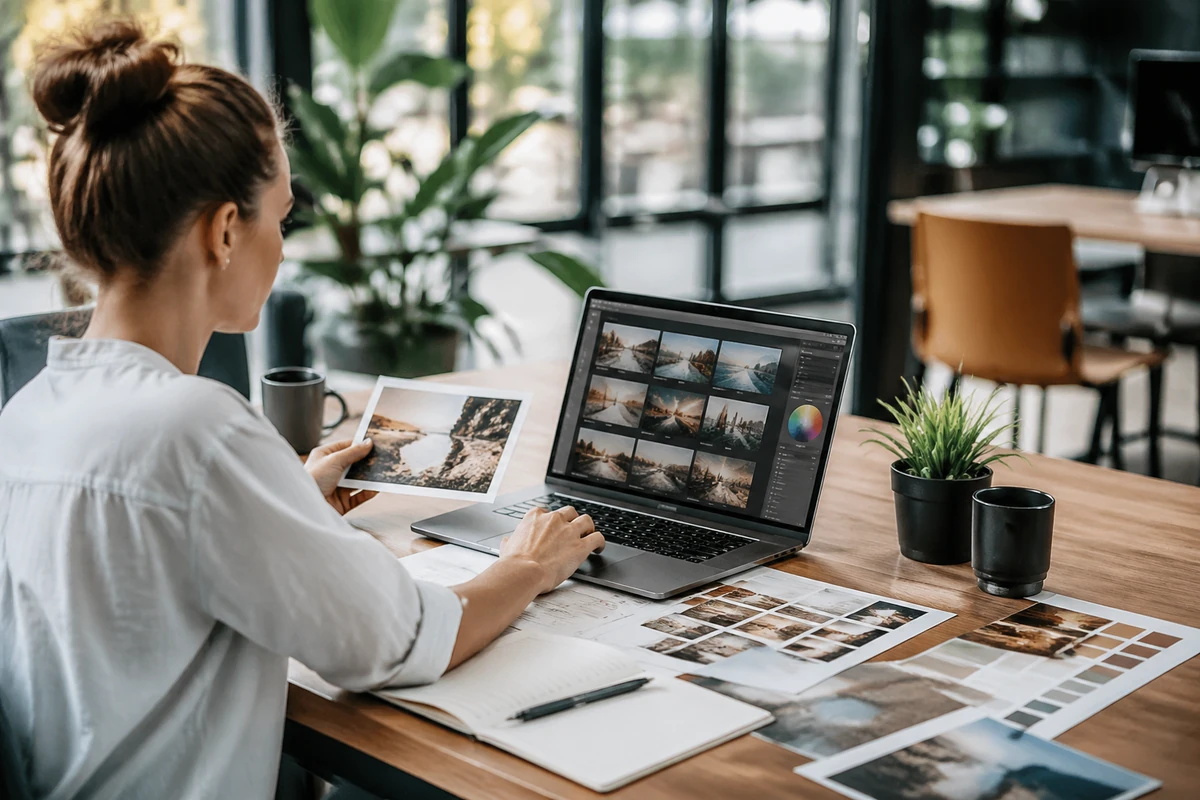
Image SEO is often treated as a small technical task that can be handled later. In practice, it plays a meaningful role in how search engines understand your pages, how quickly your site loads, and how usable your content feels for real people. Well-optimised images can support rankings, strengthen accessibility, and help your visuals appear in image search results. Poorly handled images can do the opposite.
For many websites, images are not decorative extras. They explain products, support service pages, break up long articles, and influence whether a visitor stays on the page. That means image optimisation is not just about pleasing Google. It is also about creating a faster, clearer and more useful experience for your audience.
Below is a practical guide to image SEO best practices, including the fundamentals that matter most and the common mistakes worth avoiding.
Why image SEO matters
Search engines cannot interpret images in the same way humans do. They rely on surrounding context, HTML signals, file information and page relevance to work out what an image shows and why it belongs on the page. When those signals are clear, your images become more useful to search engines and to users.
Strong image SEO can contribute to better organic performance in several ways:
- It helps search engines understand page topics more accurately.
- It can improve visibility in Google Images and other visual search experiences.
- It supports accessibility for screen reader users.
- It reduces page weight and improves loading speed.
- It encourages a better user experience across mobile and desktop devices.
These benefits are connected. A fast, accessible page with relevant visual context is usually in a better position to perform well than a heavy page filled with vague, oversized or poorly labelled images.
Start with the purpose of the image
Before writing alt text or compressing a file, it helps to ask a basic question: why is this image on the page?
Some images are essential. They show a product, demonstrate a process, explain a concept or support a service. Others are mainly decorative and do little more than fill space. Search engines and assistive technologies benefit when you make that distinction.
If an image is informative, treat it as meaningful content and optimise it carefully. If it is purely decorative, avoid over-explaining it. Not every image needs the same level of attention, and not every image should be forced to carry keywords.
This mindset keeps your optimisation work practical. You focus on images that contribute to the page instead of applying the same template to everything.
Write useful alt text, not robotic alt text
Alt text remains one of the most important parts of image SEO. It helps search engines understand image content, and it gives screen reader users a description when the image itself cannot be seen. Good alt text is specific, natural and relevant to the page.
The goal is not to cram keywords into a short field. The goal is to describe the image in a way that is accurate and genuinely helpful. If the image is important, the alt text should tell someone what they need to know. If the image is decorative, it may not need descriptive alt text at all.
A useful rule is to write alt text as though you are briefly explaining the image to someone over the phone. Keep it concise, but do not make it so short that it becomes vague. If you want a deeper guide on writing concise alt text for your images, it is worth reviewing the balance between clarity, context and brevity.
For example, if an image supports content about local search strategy, the description should reflect what is actually shown and how it relates to the topic. In some cases, context around the image may naturally mention services such as Sydney SEO consulting support, but the alt text itself should still describe the image rather than act like anchor text or ad copy.
Common alt text mistakes include:
- Keyword stuffing multiple search terms into one field.
- Repeating the same phrase across many unrelated images.
- Writing alt text that says only “image” or “photo”.
- Describing decorative icons that add no real meaning.
- Copying the page title into every image attribute.
Well-written alt text supports accessibility first, while also giving search engines stronger context.
Use descriptive file names before uploading
File names are a small signal, but they are still worth handling properly. A file called team-meeting-seo-audit.jpg gives more information than IMG_4821.jpg. Search engines use these clues alongside the rest of the page to interpret the image.
Descriptive file names are especially useful when images are central to the content, such as product photos, diagrams, location images or step-by-step screenshots. Keep names readable, use hyphens between words, and avoid unnecessarily long strings.
Good file naming habits include:
- Describing the image clearly and simply.
- Using lower case and hyphens.
- Avoiding random numbers unless they are needed for product identification.
- Keeping the name aligned with the page topic.
Renaming files after upload is often overlooked during website publishing, so it is best to build this into your content workflow from the start.
Choose the right image format
Format selection affects quality, file size and performance. There is no one perfect format for every use case, so choose based on the image type and how it will be displayed.
- JPEG or JPG: usually a practical choice for photographs because it offers a good balance between quality and compression.
- PNG: useful when you need transparency or crisp graphics, though files can be larger.
- WebP: often provides strong compression with good quality and is widely supported.
- SVG: ideal for logos, icons and simple vector graphics that need to stay sharp at any size.
Where appropriate, modern formats such as WebP can reduce page weight without noticeably affecting visual quality. That said, format choice should support your design and performance goals rather than follow a trend for its own sake.
Compress images to improve speed
Large image files are one of the most common causes of slow pages. A page filled with oversized visuals can feel heavy on mobile connections and can reduce engagement before a visitor even reaches the main content. Since page experience and loading performance matter, image compression is not optional.
Compression should reduce file size while maintaining acceptable visual quality. That balance depends on the image. A large background banner may tolerate stronger compression than a detailed product photo or infographic.
When reviewing images for compression, look at:
- The dimensions actually required on the page.
- Whether the file has been uploaded much larger than necessary.
- The visual quality after compression on both desktop and mobile.
- Whether a more efficient format would help.
It is common to find websites serving images that are far larger than their display size. Resizing before upload, not just compressing after upload, can remove significant unnecessary weight.
Resize images to match how they are used
An image displayed at 800 pixels wide should not usually be uploaded at 4000 pixels wide unless there is a clear reason. Oversized files create extra work for browsers and often deliver no visible benefit to users.
Responsive websites should provide image sizes that suit different devices and screen widths. This is partly a design issue and partly an SEO issue because inefficient image delivery affects performance metrics and usability.
When possible, generate multiple versions of important images and allow the browser to select the most suitable option. This approach helps mobile users avoid downloading desktop-sized assets they do not need.
Keep images relevant to the page topic
One of the simplest image SEO wins is topical relevance. Search engines look at the page as a whole, not just the image in isolation. If the page is about image optimisation, a generic stock photo of a handshake adds little. A screenshot showing image settings, a before-and-after compression comparison, or a labelled workflow is more meaningful.
Relevant images can reinforce the subject matter and make the content more useful. They also improve engagement because users are more likely to trust and understand a page when the visuals clearly support the written information.
This is especially important for service content, educational guides and ecommerce pages. Images should help explain the topic, not distract from it.
Use captions when they genuinely add context
Captions are not mandatory for every image, but they can be very effective when the image needs explanation. Users often scan images and nearby text before reading full paragraphs, so a well-written caption can add quick context and improve comprehension.
From an SEO perspective, captions give additional surrounding relevance. They can reinforce what the image shows without forcing everything into alt text. Keep captions natural and useful. If a caption states the obvious or repeats the heading word for word, it is unlikely to add value.
Useful captions tend to do one of three things:
- Explain why the image matters.
- Highlight a detail the user should notice.
- Connect the visual to the wider page topic.
Place images near relevant text
Search engines use context around an image to interpret meaning. That includes nearby headings, paragraph copy, captions and structured page sections. An image placed close to the most relevant text is more understandable than one dropped randomly between unrelated sections.
For example, if you are discussing workflow improvements, show the process diagram in that section rather than at the top of the page with no context. If you mention content reviews or strategy support, the surrounding copy should naturally frame the visual rather than leave it floating without explanation.
This principle also helps users. Clear alignment between words and visuals reduces friction and makes content easier to follow.
Support accessibility as part of SEO
Accessibility and SEO often overlap. When images are handled accessibly, they are usually easier for search engines to interpret as well. Alt text is the clearest example, but it is not the only one.
Accessible image use also involves:
- Maintaining readable contrast where text appears over images.
- Avoiding text embedded in images when HTML text would work better.
- Ensuring diagrams and charts have accompanying explanations.
- Using layouts that remain usable on smaller screens.
If important information exists only inside an image, some users and some search systems may miss it. Whenever possible, key points should also appear in crawlable page copy.
Include images in your sitemap when relevant
Image sitemaps can help search engines discover important visuals, particularly on larger sites or sites where images are loaded in ways that are harder to crawl. Including image information in your XML sitemap can improve discoverability and provide extra signals such as titles or captions, depending on your setup.
This is not a substitute for solid on-page optimisation. It is a supporting step. If your images have poor filenames, no context and weak accessibility signals, a sitemap alone will not fix that. Think of it as part of a complete indexing strategy rather than a standalone solution.
Make sure your site is properly responsive
Image SEO cannot be separated from mobile usability. A responsive site should deliver images that adapt cleanly across different devices, orientations and screen sizes. If images overflow, crop badly, or load far too slowly on phones, the user experience suffers.
Responsive image handling includes both front-end design and asset management. Test pages on real devices where possible. Look for issues such as:
- Images pushing important content too far down the page.
- Blurry images caused by poor scaling.
- Large hero banners slowing initial load.
- Text overlays becoming unreadable on smaller screens.
In many site reviews, image handling problems are more obvious on mobile than desktop. Fixing them can improve both usability and search performance.
Avoid common image SEO mistakes
Many image issues are not dramatic technical failures. They are small habits repeated across dozens or hundreds of pages. Over time, those habits create slower, less accessible and less focused content.
Watch for these recurring mistakes:
- Uploading stock images with no strategic purpose.
- Leaving default camera file names unchanged.
- Using the same alt text pattern on every page.
- Forgetting to compress large banners and thumbnails.
- Embedding important text in graphics rather than HTML.
- Ignoring how images behave on mobile devices.
Regular content audits can uncover these patterns. If your site has grown over time, older posts may contain easy image improvements that can be updated without rewriting the entire page.
Review image SEO as part of a broader content process
Image optimisation works best when it is built into publishing rather than treated as a cleanup task months later. A practical workflow might include naming files properly, resizing before upload, writing alt text during drafting, and checking mobile display before a page goes live.
For teams managing lots of content, a simple checklist can prevent most common errors. For businesses that want an external review, it can also help to book an SEO consultation in Melbourne with someone who can assess how images, page speed and content structure are working together.
The main point is consistency. Image SEO is rarely about one perfect tweak. It is about repeatedly making sensible choices that improve search visibility and user experience over time.
Final thoughts
Image SEO best practices are straightforward when you focus on the fundamentals. Use images that genuinely support the page, write accurate alt text, choose sensible file names, compress and resize assets properly, and make sure everything works well on mobile. Add captions and sitemap support where they improve context and discoverability.
Most importantly, optimise images for people first. When visuals are fast, relevant, accessible and easy to understand, they usually send stronger signals to search engines as well. That makes image SEO a practical part of broader site quality, not a separate box-ticking exercise.
Done well, image optimisation helps your pages load faster, communicate more clearly and compete more effectively in both standard and image search results.